All twelve campaign levels
Play through Egypt and Rome with the original weapons, enemies and encounters. Pick up supplies, open doors, find switches and face both bosses.
About the game → THE PC PORTGitHub ↗
WINDOWS 64-BIT / v0.8.0 BETA 1
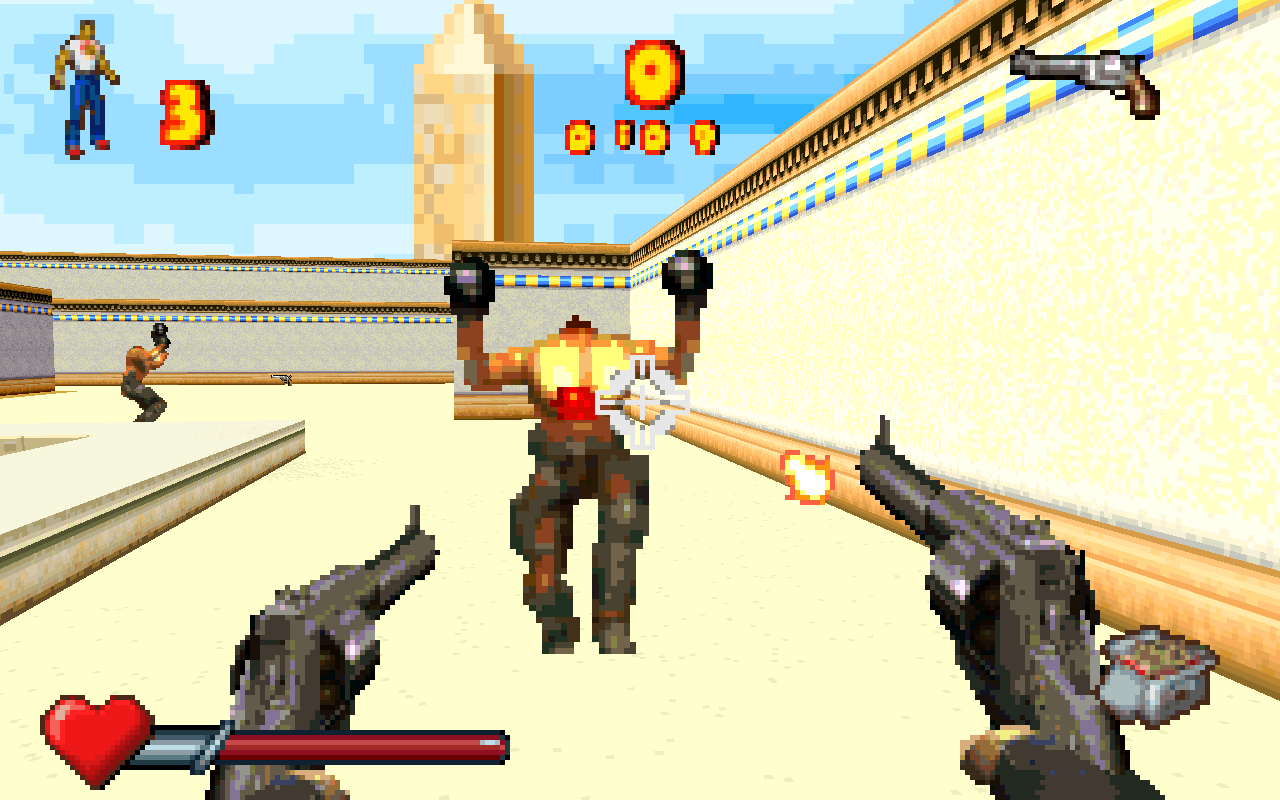
A fan-made Windows port of the GBA game, with its original levels, weapons, enemies and music. Play with a keyboard and mouse, with optional jumping and a third-person view.
You’ll need your own European version of the Serious Sam Advance ROM. The ROM isn’t included.
ABOUT THE PORT
Play the campaign or explore its artwork and maps here.
Move with WASD and look with the mouse. Enable Jump in Options → Extras to use Space, or press H for the third-person view.
CONTROLS02 / ORIGINAL GAMEPLAYPlay through the original campaign, from the first temple to Caesar’s Palace. Weapons, enemies, graphics and sound all come from the GBA game.
BETA 103 / EXPLORE THE WORLDExplore all 16 maps in your browser. Look around in 3D to find items, doors and known secrets.
3D MAP EXPLORERNew in Beta 1: Optional Vulkan antialiasing, sharp anisotropic filtering, ambient occlusion and motion blur; VSync On by default; a target-health Classic crosshair, combat improvements and faster rendering.
Release notes →This is a beta. Expect bugs and unfinished features. Levels unlock as you play. Check the current limitations before starting.
Features and known limits →THE ORIGINAL GAME / A FEW NEW EXTRAS
Here’s what works so far, which extras you can turn on, and what still needs work.
AVAILABLE NOW
Play through Egypt and Rome with the original weapons, enemies and encounters. Pick up supplies, open doors, find switches and face both bosses.
About the game →Look up and down with the mouse or press H to see Sam from behind. To jump, enable Jump in Options → Extras, then press Space. Choose Vulkan hardware rendering, Software or the original GBA-style view. Adjust mouse sensitivity and field of view in Settings, and vertical aim in Extras.
See the controls →Choose a difficulty, read the NETRICSA briefings and follow the story from the opening to the ending. Level unlocks are saved, original passwords work, and menus are available in English, German and French.
Progress and saves →Keep the original music, try an optional SoundFont instrument pack, or use Windows MIDI music. Adjust music and sound effects separately. The game remembers your settings and only shows music choices that are available. Enemy sounds now carry farther.
Music options →Choose Original or Classic HUD, enable the M-key automap, or add weapon bobbing in Extras. Graphics offers mipmapping, water reflections, godrays and sprite shadows, plus Vulkan antialiasing, anisotropic filtering, ambient occlusion and motion blur. VSync starts On where supported. Jump and the optional visual effects start off.
Where to find the extras →You get time and ammo bonuses when you finish a level, and your score carries into the next one. Qualifying runs offer keyboard name entry and save your high scores. Death retries the level until the last life, then shows Game Over.
What is included →CONTROLS
WHAT IS NEXT
This follows the latest code on GitHub. See the release notes for the downloadable build.
All twelve levels are open for playtesting. Earlier checks finished eleven in a row and the last one separately. More full playthroughs will help find the problems those checks missed.
Saved high scores, name entry and the lives/Game Over flow are now available. Work continues on remaining differences in menus, animations, sound and gameplay.
There are still sound differences to fix, and multiplayer isn’t playable yet. You can already look around its four maps here on the site.
Updated 22 October 2026 · v0.8.0-beta.1. This is an early release, with bugs and unfinished features. Developer notes →
LOOK AROUND THE LEVELS
ART FROM THE GBA GAME
Have a look through the sprites, textures, menus and other pictures. These are the original pixels and colours, with no redrawing or smoothing. You don’t need a ROM to browse them here.
Loading the pictures…
That picture isn’t in the gallery. Browse all pictures →
Choose a category, or search for an enemy, weapon or action. Unused pictures stay with their subject; the old interface has its own Old HUD category. Look for the Unused chip, or search “unused” to find them. Open a picture to read more. Shared pictures appear only once, and contact sheets are left out.
YOUR GUIDE TO THE GAME
Look up an enemy, check a weapon or find your way around a level.
NETRICSA
DOWNLOAD & HELP
Grab the Windows download and follow the three steps below. You won’t need an emulator or build tools. If you’d like to work on the port, you can find the code on GitHub.
You’ll need your own European version of the Serious Sam Advance ROM. A ROM is a file containing the original GBA game. Other regional versions won’t work. The download doesn’t include a ROM.
SSA.gba and put it in the orig folder.play-native.cmd to play.Updating? Keep save.dat, settings.dat and scores.dat so you don’t lose your unlocks, settings or scores. Extra music files are optional.
Extract the ZIP before running it. Put your own European ROM in the orig folder and name it SSA.gba. Check that Windows hasn’t left another extension on the filename, such as SSA.gba.gba. Then run play-native.cmd.
Open Options → Graphics → Renderer. Vulkan is the default for new settings; upgrades retain your previous renderer choice. If Vulkan is unavailable, it is hidden and Software is used instead. Updating your graphics driver may help.
Open Options → Extras and enable Jump, then use Space during play. Jump starts off by default.
Turn on Enhanced weapons in Options → Extras. You’ll still need to pick up the second pistol during normal play.
Keep save.dat, settings.dat and scores.dat from your existing game folder. They hold your level unlocks and settings.
Still stuck? Tell us which level you were playing, what happened and what you expected. Include the game version and any error message.
Report a problem on GitHub ↗If you’d like to change the game or build it yourself, start here.
git clone https://github.com/ZynChroMaTiK/ss-advance-decomp.git
cd ss-advance-decomppowershell -NoProfile -ExecutionPolicy Bypass -File scripts/build-windows.ps1orig/SSA.gba, then run play-native.cmd.You can build without a ROM. You need the European ROM to play or compare behavior with the original game.
Setup, controls and help →We compare the port with the original game and test how its parts work together. That helps us catch things like weapons firing differently, doors not opening or progress getting stuck.
Earlier tests finished eleven levels in a row and the final level separately. If you play through this version and something goes wrong, a bug report would help.
Read the developer notes →LINKS AND NOTES
Updated 22 October 2026 · v0.8.0-beta.1. The maps and graphics gallery work in your browser. To play, download the Windows game and add your own European ROM.